AR Cafe
A downloadable AR Project
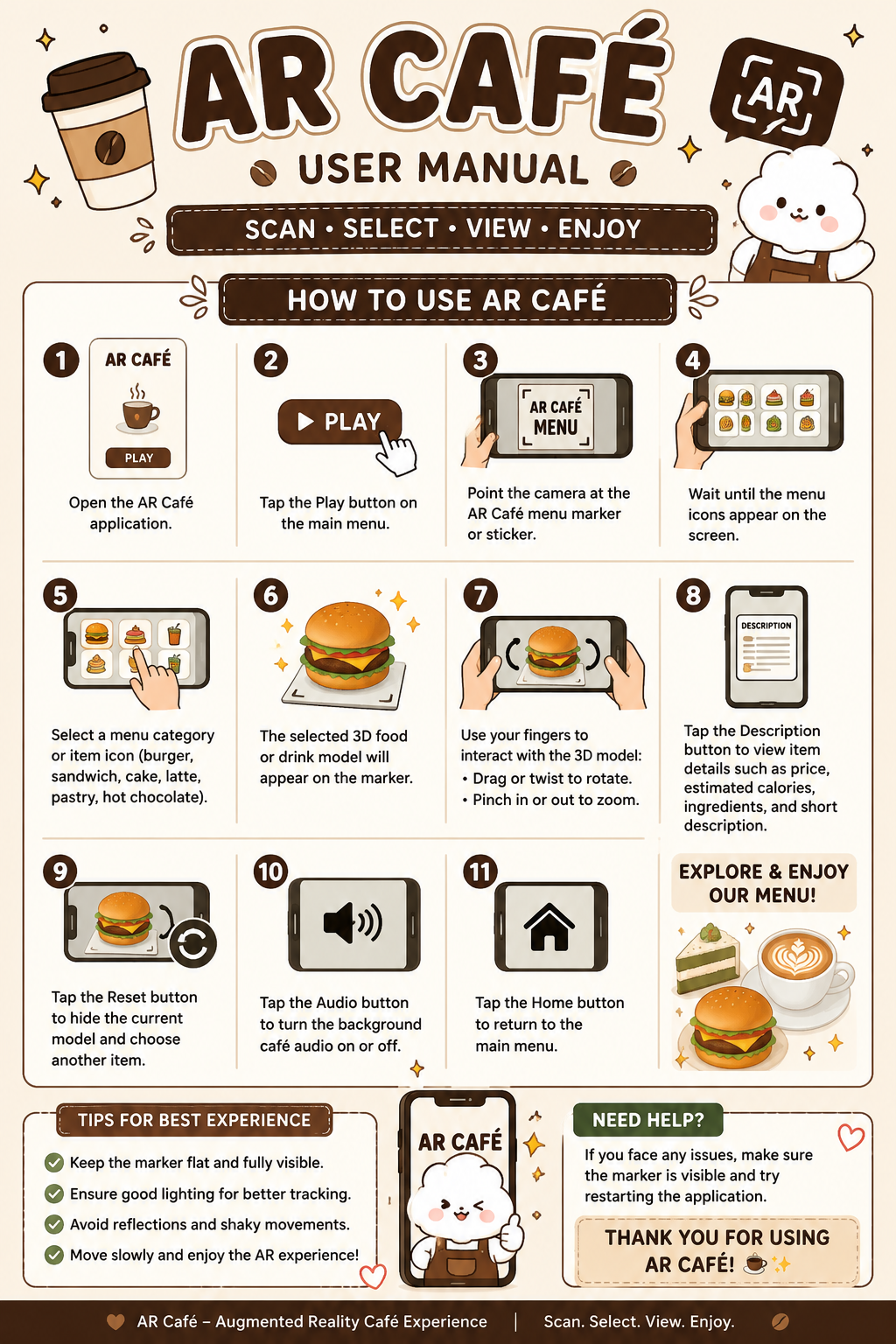
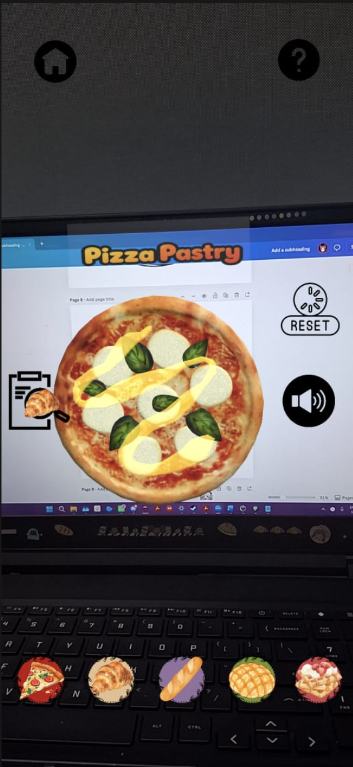
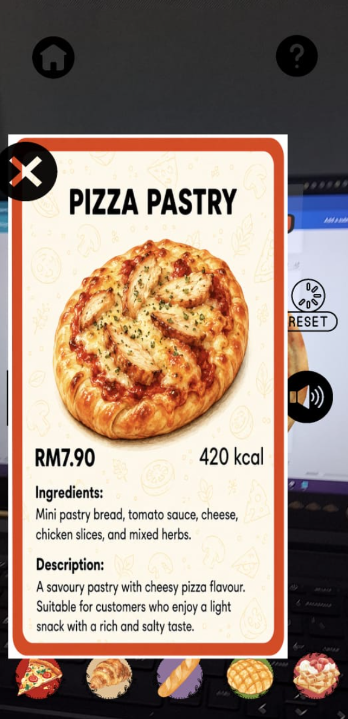
AR Cafe is a marker-based augmented reality food menu prototype developed using Unity and Vuforia. The application allows users to scan a printed marker and view 3D burger models in AR. Users can select different burger options and view related food information through a simple mobile interface. This project demonstrates skills in AR development, Unity scene setup, Vuforia marker tracking, 3D object interaction, and mobile application prototyping.
Download
Install instructions
How to install AR Cafe:
1. Download the APK file from this page.
2. Open the downloaded APK file on your Android phone.
3. If your phone asks for permission, allow “Install unknown apps” from your browser or file manager.
4. Tap Install and wait until the installation is complete.
5. Open the AR Cafe application.
6. Allow camera permission when asked.
7. Scan the AR Cafe marker to view the 3D burger menu in augmented reality.
Note:
This application is only for Android devices. A printed or digital AR Cafe marker is required to use the AR feature.
Leave a comment
Log in with itch.io to leave a comment.